
Apps on your monday.com boards
Build on your boards and items. Bring monday.com data into custom apps, views and workflows.
Brilliant’s monday.com integration builds apps on your monday.com boards from a plain-words description.
The app reads boards, items and column values live and, when you allow it, creates and updates items, so the board stays the record your team already keeps. Teams in every department use it to put a board behind a portfolio view, an approval desk or a planner that also reads their other tools.
What Brilliant can do with monday.com
What Brilliant reads from monday.com
- Boards, groups, items and subitems, with their column values
- Updates and replies on items
- Workspaces, folders, docs and dashboards
- Users and teams
What an app can do in monday.com, with read and write access
- Create, update, move and archive items
- Change column values and post updates
- Create boards, groups and columns
- Create and update monday.com docs
Choose read-only or read and write when you connect monday.com.
Use cases that run on monday.com
Each of these apps reads from monday.com. Open one to see its prompt, the tools it runs on and how to build it.
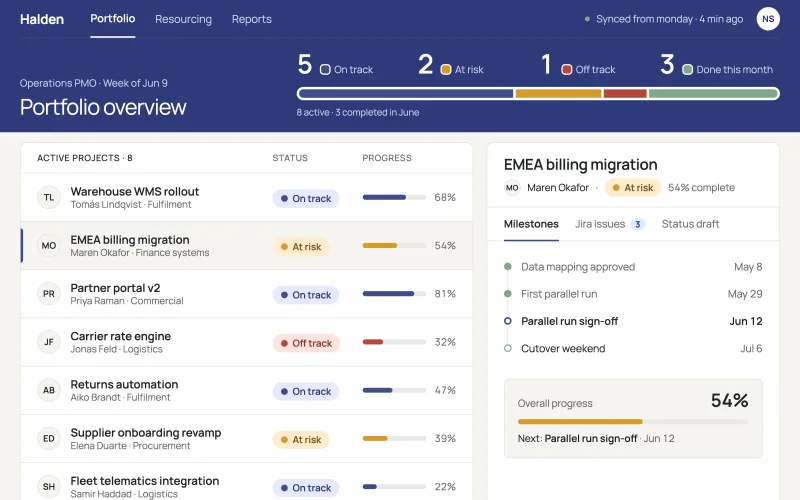 Project portfolioOwners, milestones, budgets and blockers for every project in one live portfolio.
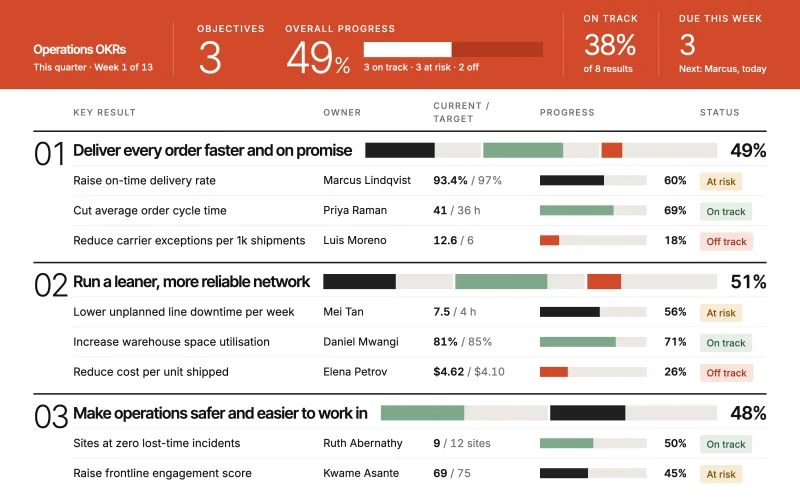 OKR trackerObjectives, key results and weekly check-ins, with off-track results surfaced before the review.
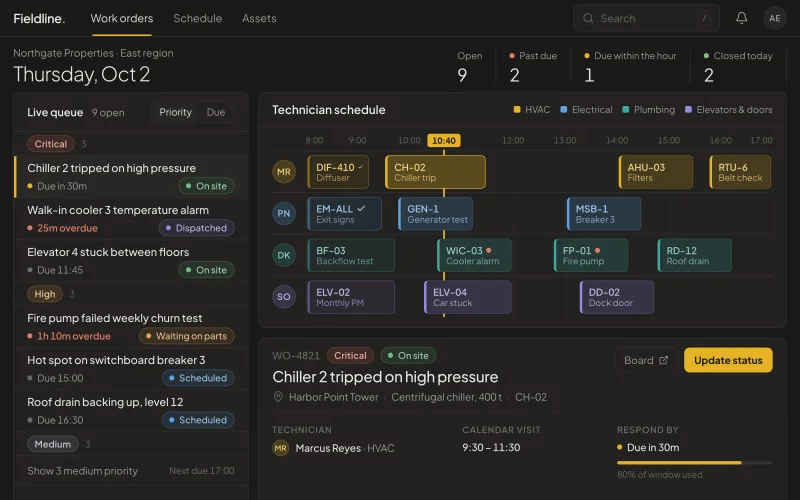 Work ordersMaintenance and service requests in one queue with priority, assignee and due date.
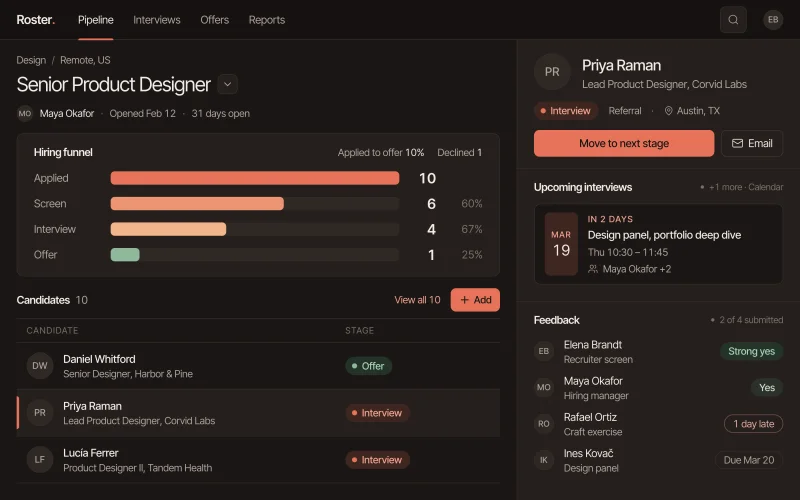 Recruiting pipelineOpen roles, candidates and interviews in one pipeline, with candidates waiting on feedback up top.
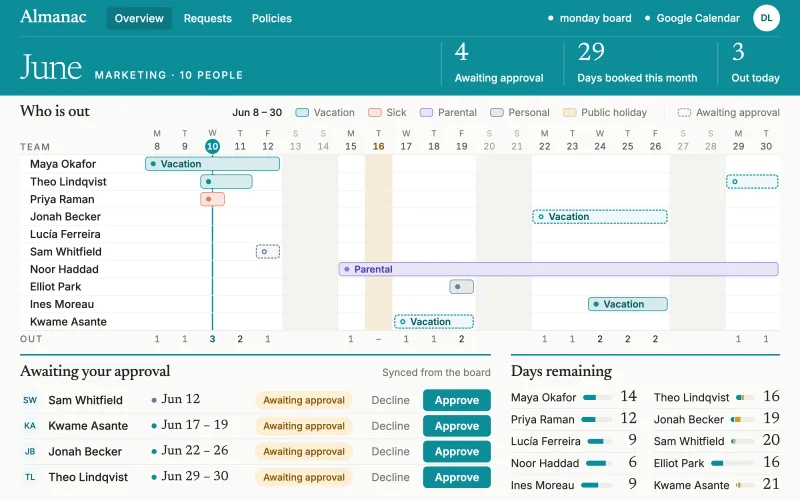 Time offRequests, balances and who’s out when, in one planner. Managers approve in a click.
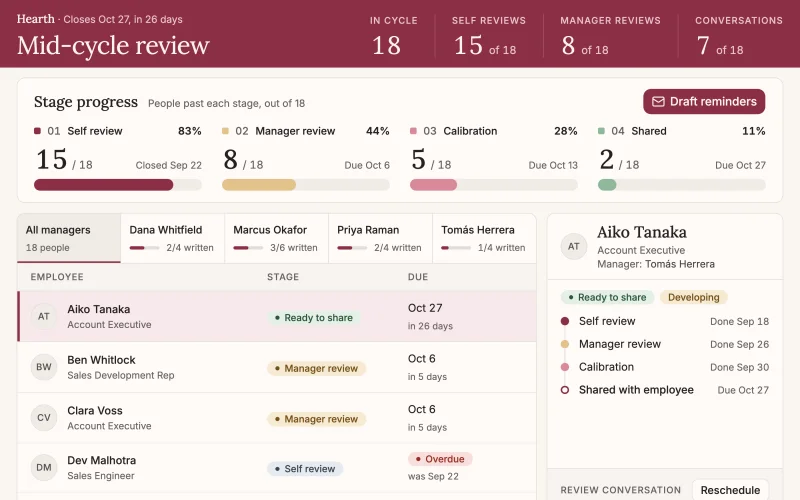 Performance reviewsEvery employee's self-review, manager review and one-on-one in one cycle tracker, with reminders for whoever is holding things up.
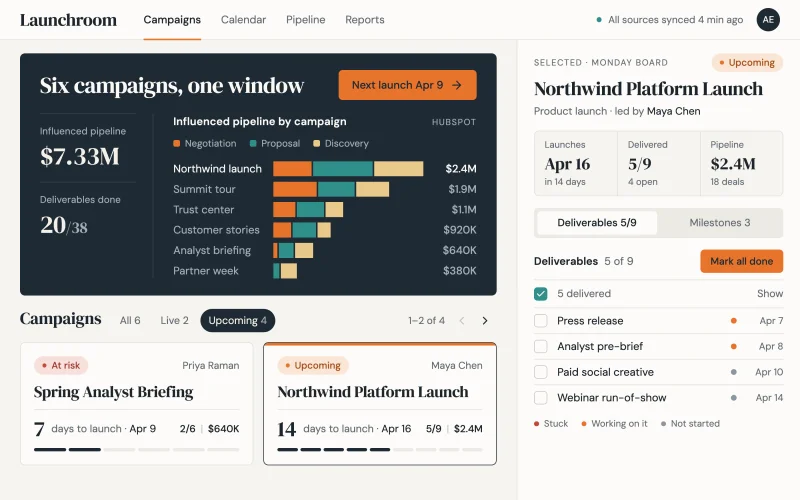 Campaign hubPlans, owners, spend and the pipeline each campaign produced, on one page.
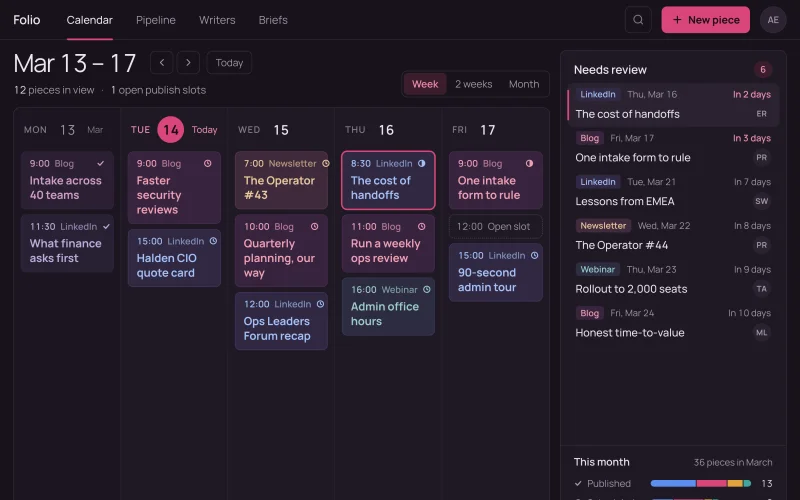 Content calendarEvery post, article and email by date, owner and status, with late pieces flagged before publish day.
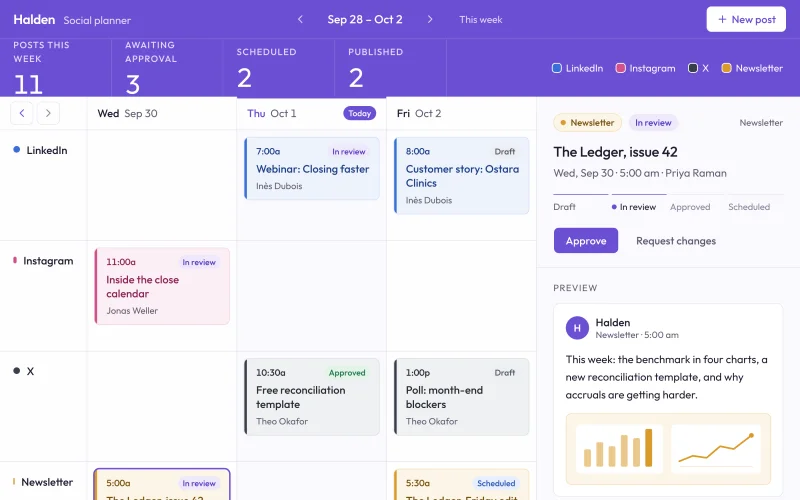 Social plannerDrafts, approvals and the posting schedule for every channel, so nothing goes live before it's signed off.
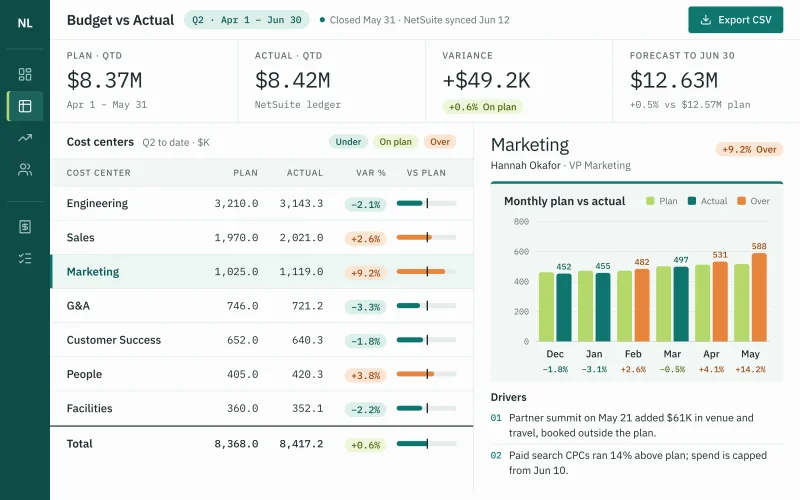 Budget vs actualEvery department’s budget next to its spend, with lines running over flagged in time to act.
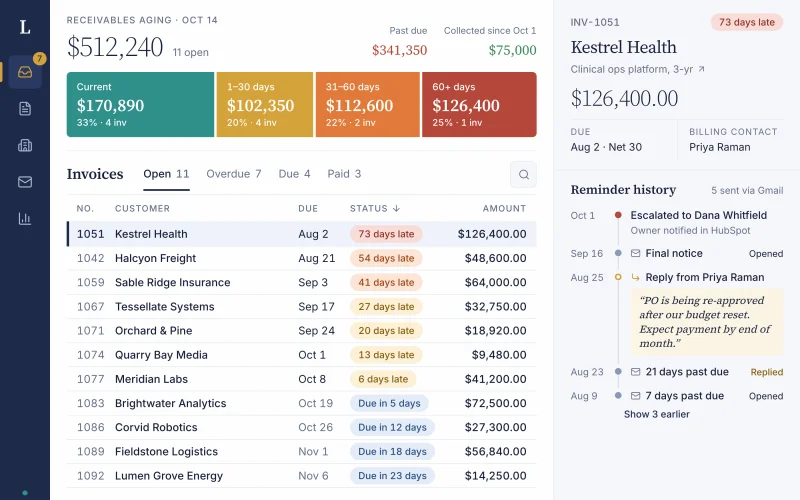 Invoices & collectionsEvery open invoice by customer and age, with overdue accounts and the next follow-up in one view.
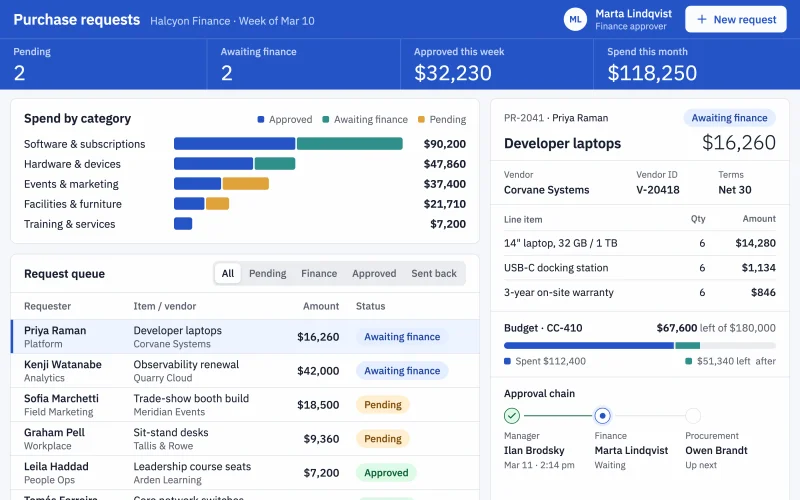 Purchase requestsEvery request with its amount, budget line and approver in one desk, so spend is approved before it happens.
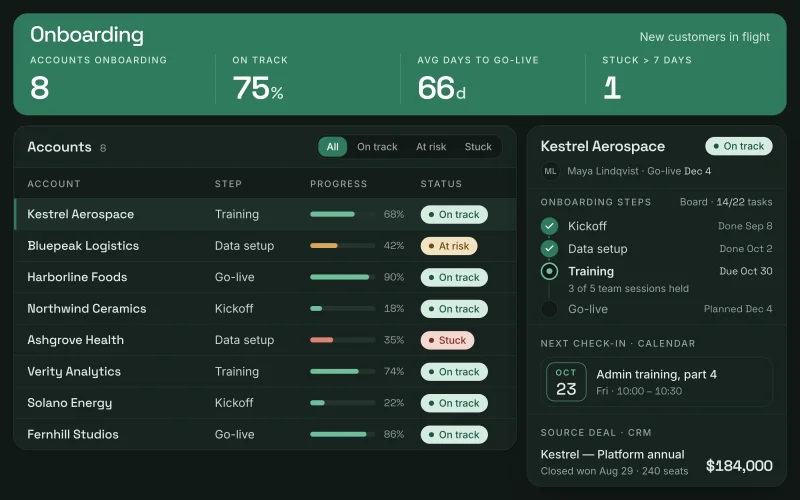 Customer onboardingKickoff, setup steps and go-live dates for every new account, fed by the deal that closed it.
Prompts to start from
Use one as it is, or change it to fit your team. Brilliant connects monday.com when it builds.
Build a weekly status page that rolls up every monday.com project's progress, owner and next milestone, and highlights anything that slipped since last week.
Build a new-hire onboarding checklist on a monday.com board with IT, payroll and manager tasks per person, and books first-week meetings in Google Calendar.
Build a launch plan on a monday.com board with every task, owner and due date for the launch, and shows the milestones on a Google Calendar timeline.
Works well with
The tools most often paired with monday.com in the use cases.
- Google CalendarTogether in OKR tracker, Work orders, Recruiting pipeline, Time off, Performance reviews, Content calendar, Social planner, Customer onboarding
- HubSpotTogether in Campaign hub, Invoices & collections, Customer onboarding
- OutlookTogether in Work orders, Performance reviews, Purchase requests
- GmailTogether in Invoices & collections


Connect monday.com in three steps
Describe the app
Say what you need in plain words and name monday.com, or start from one of the prompts above. Brilliant asks a few quick questions, then builds the app.
Connect monday.com
Sign in on monday.com’s own sign-in screen when Brilliant asks. Connect asks for nothing else. Choose read-only or read and write when you connect monday.com. Once connected, every app you build can reuse the connection.
Share it with your team
Brilliant builds the app on your live monday.com data. Share it with your team and choose what each person can do with the app’s own records: view only, add new records, edit the records they created, or edit everything. Changes in monday.com follow the connection’s read-only or read and write access, for everyone who uses the app.
Frequently asked questions
How is a Brilliant app on monday.com different from monday vibe?
monday vibe builds apps inside monday.com, on your boards. Brilliant is a standalone app builder: a Brilliant app can read your monday.com boards next to data that lives elsewhere, such as your CRM, help desk or calendar, with its own users and permissions. Brilliant is built by monday.com.
Can a monday.com app write back to my board?
Yes, if you connect monday.com with read and write access. The app can then create items, change column values, post updates and move items between groups, as a request form that creates items on your board does. Connected read-only, a monday.com app only reads boards and items.
Do people need a monday.com seat to use the app?
No. People you share a Brilliant app with don’t need a monday.com account or seat. The app reads your boards through the monday.com connection you made, so everyone the app is shared with works from the same live items, while the board stays where your team already plans.