
Custom apps on your HubSpot data
Put your contacts, deals and campaigns to work in apps built for how your team sells and markets.
Brilliant’s HubSpot integration lets you build a custom app on your HubSpot CRM by describing it in plain words.
The app reads your contacts, companies, deals and tickets live, without importing them, and with read and write access it can update records in HubSpot too. Sales, marketing, finance and customer success teams use it for pipelines, lead routing, forecasts and renewals.
What Brilliant can do with HubSpot
What Brilliant reads from HubSpot
- Contacts, companies and deals, with their owners and pipeline stages
- Tickets, products, line items and quotes
- Calls, meetings, notes, tasks and emails logged on a record
- Marketing campaigns, their results and marketing emails
What an app can do in HubSpot, with read and write access
- Create and update contacts, companies and deals
- Log notes, tasks and meetings on a record
- Create tickets, quotes and line items
- Link records to each other, such as a contact to a deal
Choose read-only or read and write when you connect HubSpot.
Use cases that run on HubSpot
Each of these apps reads from HubSpot. Open one to see its prompt, the tools it runs on and how to build it.
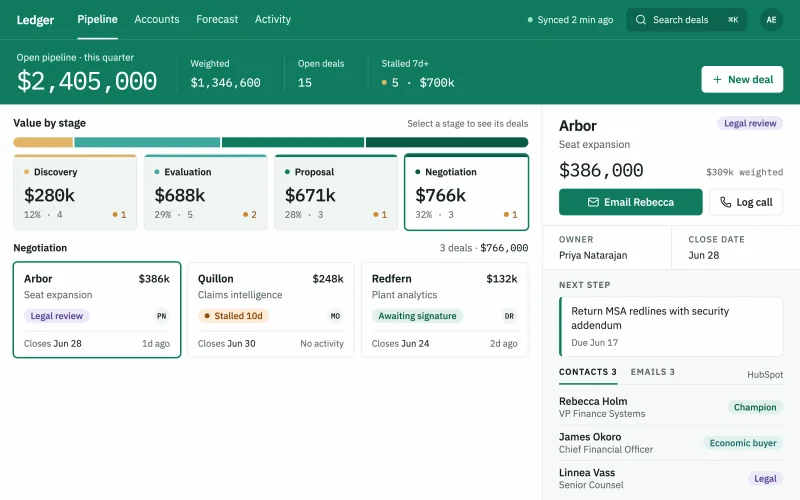 Deal pipelineEvery deal by stage, owner and close date, with the deals that went quiet pulled to the top.
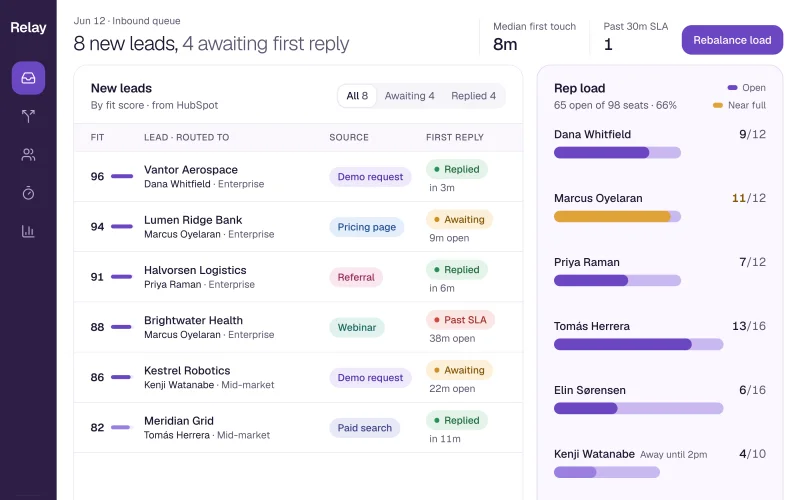 Lead routingInbound leads scored and assigned by territory and fit, with the uncalled ones in plain sight.
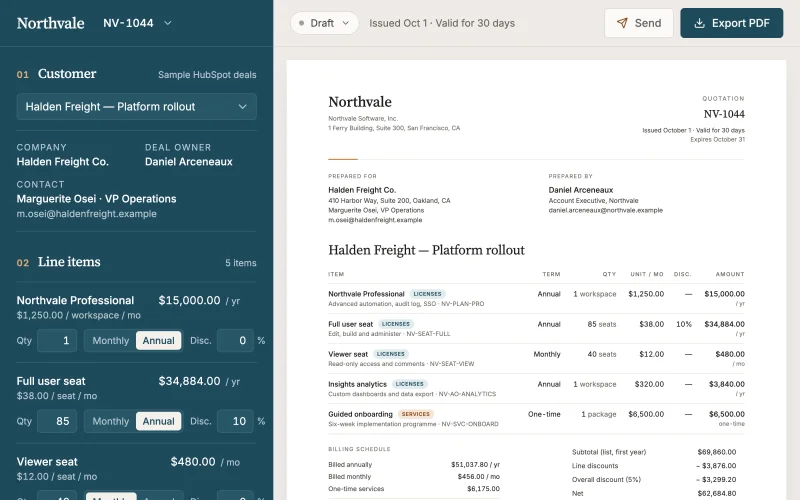 Quote builderStart from the deal, add products and discounts, and send a branded quote your customer can sign.
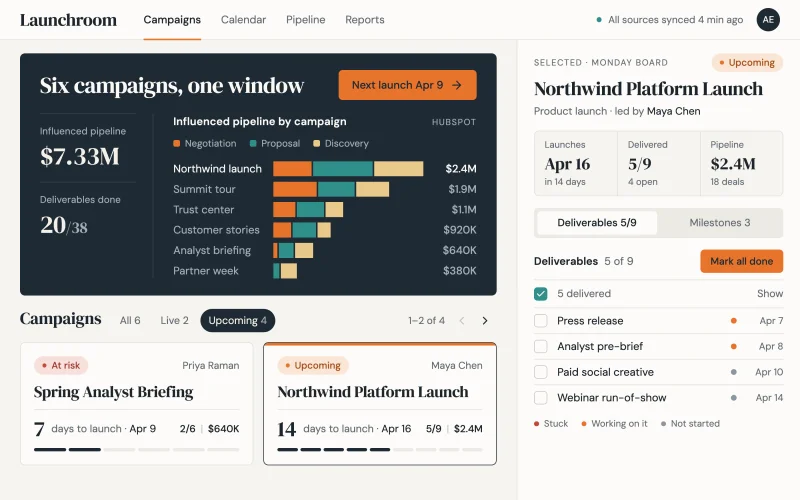 Campaign hubPlans, owners, spend and the pipeline each campaign produced, on one page.
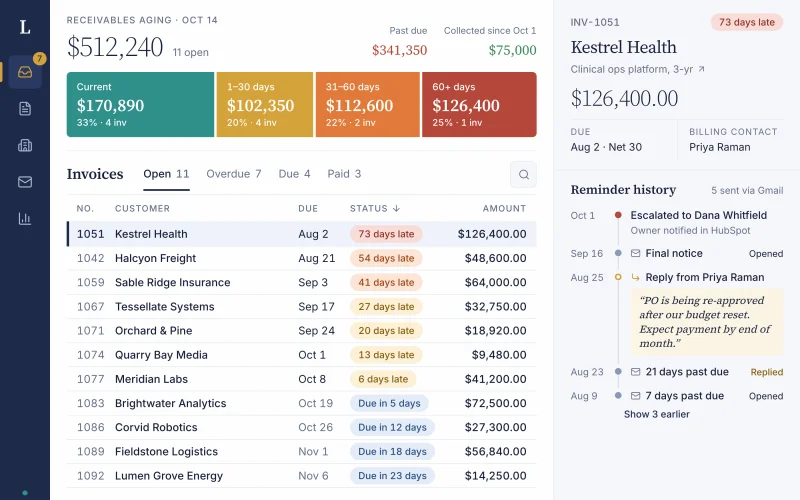 Invoices & collectionsEvery open invoice by customer and age, with overdue accounts and the next follow-up in one view.
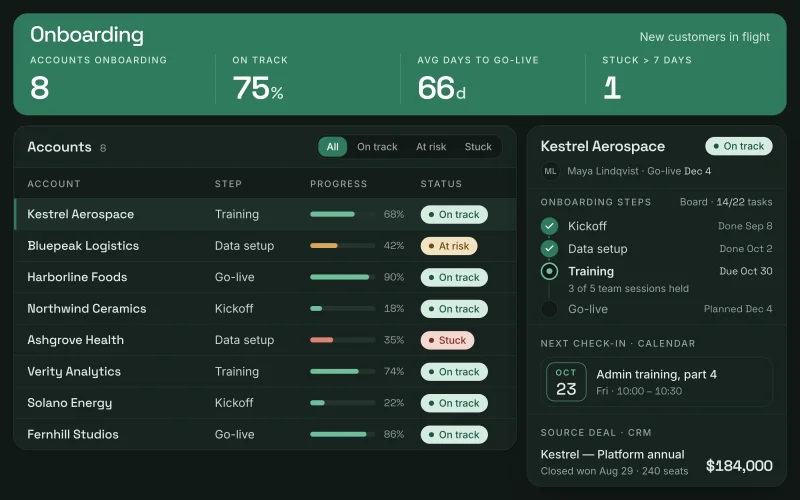 Customer onboardingKickoff, setup steps and go-live dates for every new account, fed by the deal that closed it.
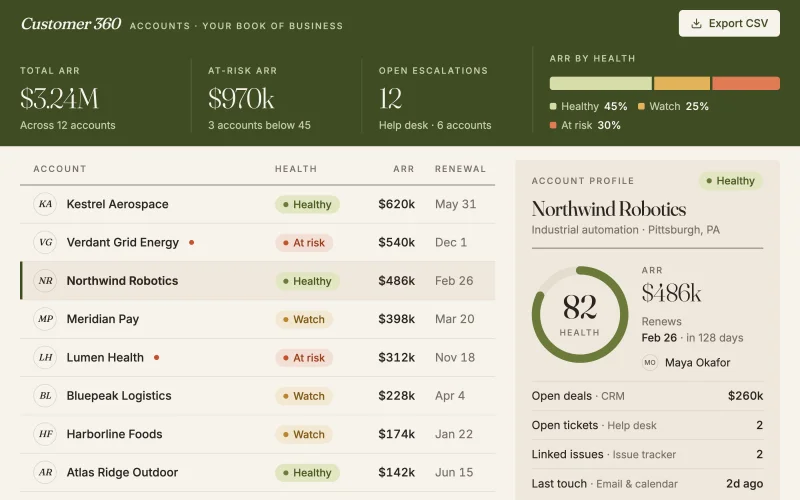 Customer 360Deals, tickets and issues on one page per account. Spot at-risk customers before they churn.
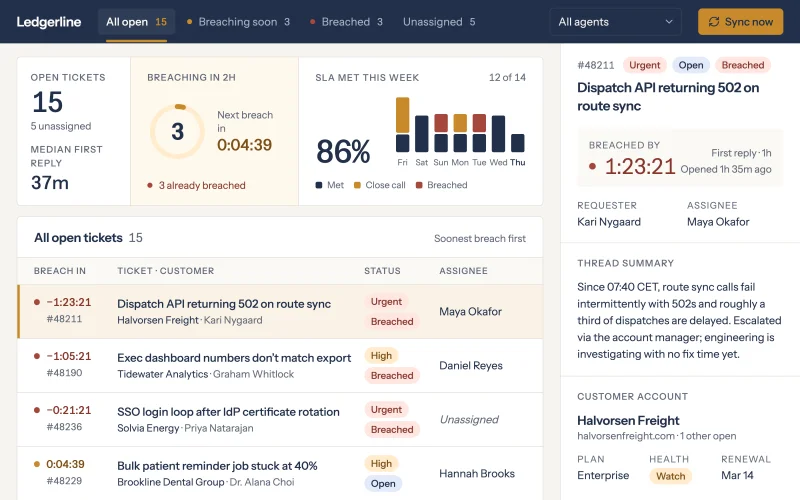 Support SLAsOpen tickets by account, priority and time to breach, so the team works the ones about to miss their SLA first.
Prompts to start from
Use one as it is, or change it to fit your team. Brilliant connects HubSpot when it builds.
Build a quarterly forecast that rolls up HubSpot deals by stage and owner into commit, best case and pipeline, and compares it with the quota.
Build an event follow-up list of every HubSpot contact from last week's event, with their company, owner and whether they got a Gmail follow-up.
Build a renewal revenue forecast from HubSpot contracts renewing in the next two quarters, grouped by month, with the at-risk amount highlighted.
Works well with
The tools most often paired with HubSpot in the use cases.
- GmailTogether in Deal pipeline, Lead routing, Quote builder, Invoices & collections
- monday.comTogether in Campaign hub, Invoices & collections, Customer onboarding
- ZendeskTogether in Customer 360, Support SLAs
- Google CalendarTogether in Customer onboarding


Connect HubSpot in three steps
Describe the app
Say what you need in plain words and name HubSpot, or start from one of the prompts above. Brilliant asks a few quick questions, then builds the app.
Connect HubSpot
Sign in to HubSpot when Brilliant asks. Connect asks for nothing else: there is no API key or private app token to create. Choose read-only or read and write when you connect HubSpot. Once connected, every app you build can reuse the connection.
Share it with your team
Brilliant builds the app on your live HubSpot data. Share it with your team and choose what each person can do with the app’s own records: view only, add new records, edit the records they created, or edit everything. Changes in HubSpot follow the connection’s read-only or read and write access, for everyone who uses the app.
Frequently asked questions
Can I build a custom HubSpot app without code?
Yes. Describe the HubSpot app you need in plain words, such as a deal pipeline that flags deals with no activity in 14 days, and Brilliant builds it on your live HubSpot data. You refine it in the same conversation and share it with your team. You sign in to HubSpot once, with no API key to create.
Can a HubSpot app update deals and contacts?
It can if you allow it. When you connect HubSpot you choose read-only or read and write. A read-only HubSpot app only shows and filters your records. With read and write, the app can create and update contacts, companies and deals, and log notes and tasks on them.
Do I need to move my HubSpot data into Brilliant?
No. A Brilliant app reads your HubSpot contacts, companies and deals live through the connection, with no import, so HubSpot stays the record your team trusts. Data HubSpot does not hold, such as line items from your own price list in a quote builder, can live in the app’s built-in database.